


Today we are releasing our most significant update of the Blueye App yet. One of the prominent new features in this release is to generate an inspection report as a PDF or Word document.
You can share the document directly from your mobile device. You can also use it as a starting point and continue to work on it using Microsoft Word for iOS or Android. .
Tip: For inspections that span multiple dives, contributors, or stakeholders, Blueye Cloud — our online platform at cloud.blueye.no — extends the same reporting workflow to your whole organisation. See the section at the end of this article for details.
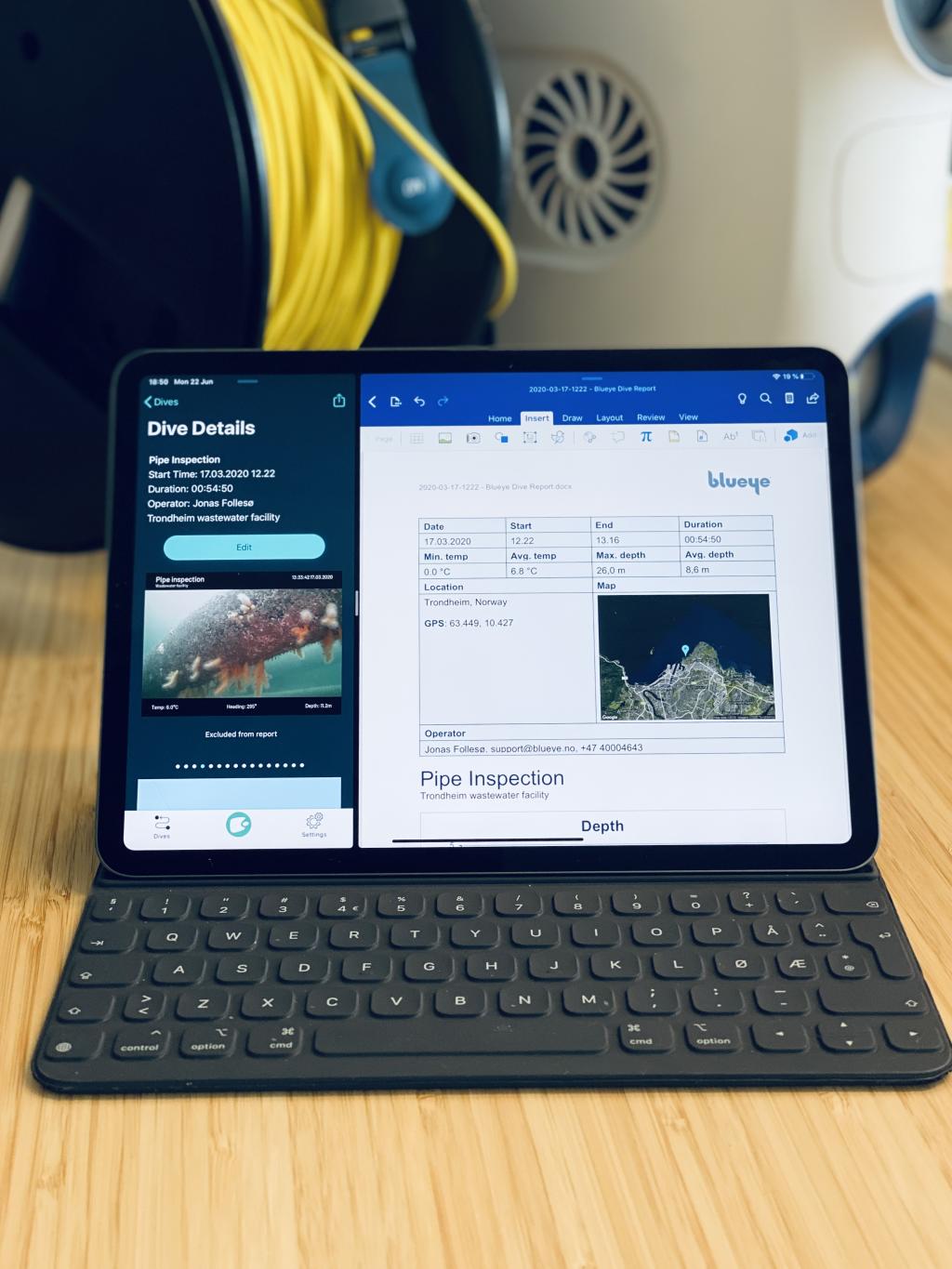
In the above picture, the Blueye app is running next to the Microsoft Word app on iPadOS. A drone operator can edit and finalize the report directly on the mobile device. This way of leveraging third-party applications is one of the strengths of how the Blueye system uses standard iOS and Android devices to control the drone.
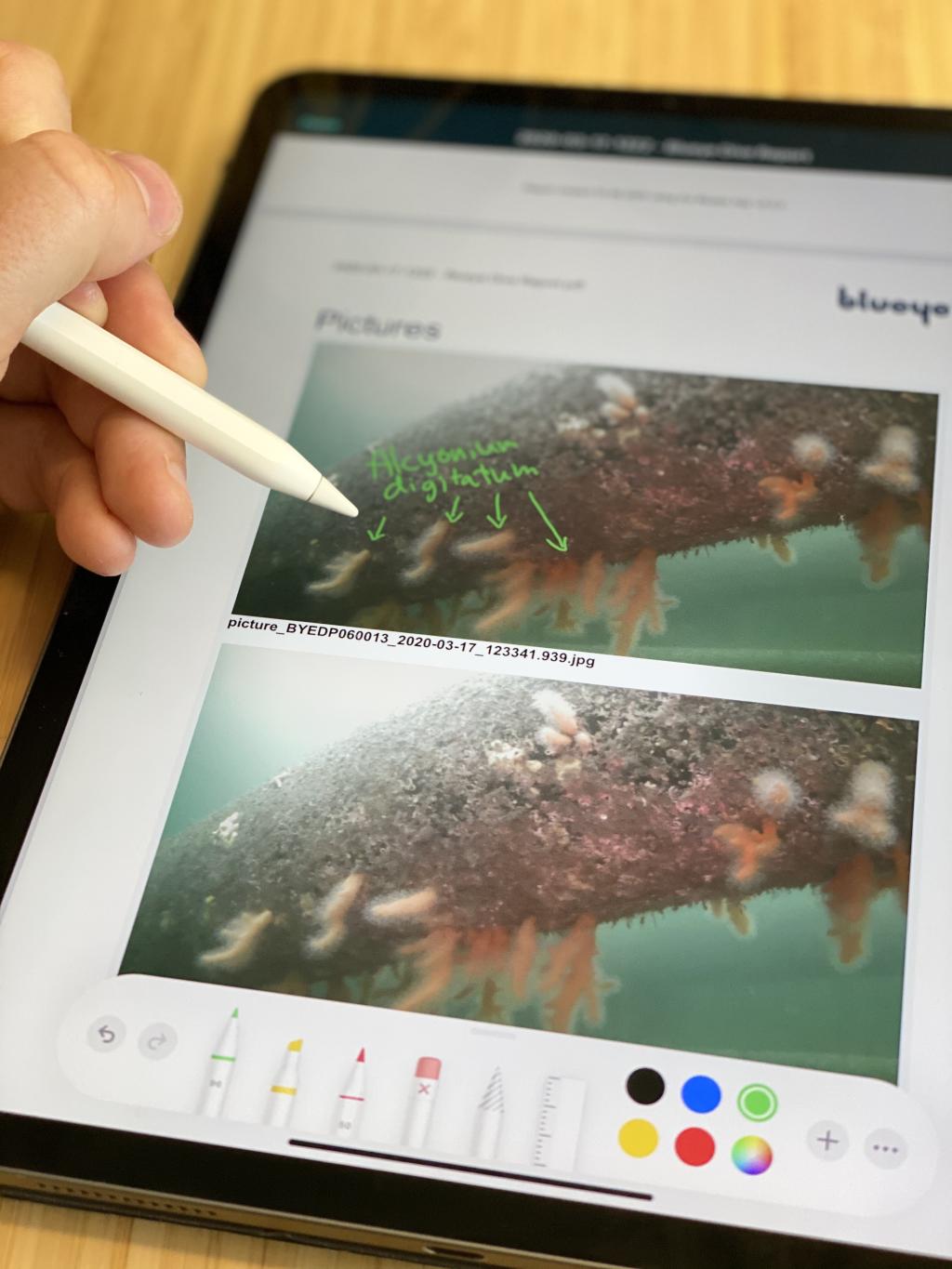
The Blueye app includes a default report template designed by the Blueye team. The template contains:
- Vital telemetry data
- Information about the dive's date and location
- A depth chart
- Pictures or screenshots captured during the inspection.

If the default template does not meet your needs, it is possible to design a custom one using Microsoft Word.
You add dynamic fields using Word merge fields or custom tags defined by Blueye. You can also add place holders for information your drone operator should enter into the document to complete the generated report. Visit the Blueye Help Center to learn more about report generation, or to find all the details about how to create a custom report template.

If the default template does not meet your needs, it is possible to design a custom one using Microsoft Word.
At Blueye, we acknowledge the fact that getting eyes below the surface is just the first step. Capturing, post-processing, and sharing information is vital for many organizations looking to utilize drones in their daily operations. This app update is just the beginning and part of our commitment to make underwater inspections as frictionless as possible Please contact us if you have any feedback, suggestions, or requests for future improvements you wish to see in the Blueye software offering.
This app update is just the beginning, and part of our commitment to make underwater inspections as frictionless as possible.
Take reporting online with Blueye Cloud
The Blueye App's report templates remain the fastest way to produce a polished PDF straight from a single dive. For inspections that span multiple dives, contributors, or stakeholders, Blueye Cloud — our online platform at cloud.blueye.no — extends the same workflow to your whole organisation. Group dives into a Project, write up findings in a block-based report editor that embeds video at the exact second of a finding, and share the result through a secret link or an email invitation — no Blueye account required on the receiving end.
For organisations that opt in, Blueye Cloud can also generate a first-draft inspection report with AI, grounded in the project's own dives, annotations, photos, and voice transcripts and cited back to the source material. All AI processing runs on Azure OpenAI hosted in Norway, and none of your data is used to train the underlying models.
Contact our sales team if you wish to learn more about how Blueye can help your business get started with underwater inspections using drones.

Example report generated by the Blueye App
- Format
- application/pdf
- File size
- 2.57 MB